
If you are a new truck driver, using a CAT Scale for the first time may feel a little unfamiliar. You may know that you need to weigh your truck, but you may not be sure where to stop, how to position each axle group, or what to do after the weighing is complete. Once you understand the basic process, however, it is not difficult.
Learning how to use a CAT Scale at a truck stop can help you check your steer axle, drive axles, trailer axles, and gross vehicle weight before getting back on the road.
Below is a step-by-step explanation of the actual weighing process.
What Is a CAT Scale?
A CAT Scale is a common commercial truck weighing system found at truck stops across the United States. It is mainly used for semi trucks, tractor-trailers, and other heavy commercial vehicles.
Unlike a basic vehicle scale that only displays total weight, a CAT Scale usually provides separate weight readings for different axle groups.
The weighing results generally include:
Steer Axle Weight
Drive Axle Weight
Trailer Axle Weight
Gross Vehicle Weight
These numbers tell drivers not only how much the entire truck weighs, but also how the weight is distributed among the different axle groups. This is important because even if the total vehicle weight is within the legal limit, one axle group may still be overloaded.
How to Use a CAT Scale at a Truck Stop?
The exact procedure may vary slightly from one truck stop to another, but the basic process is usually similar.
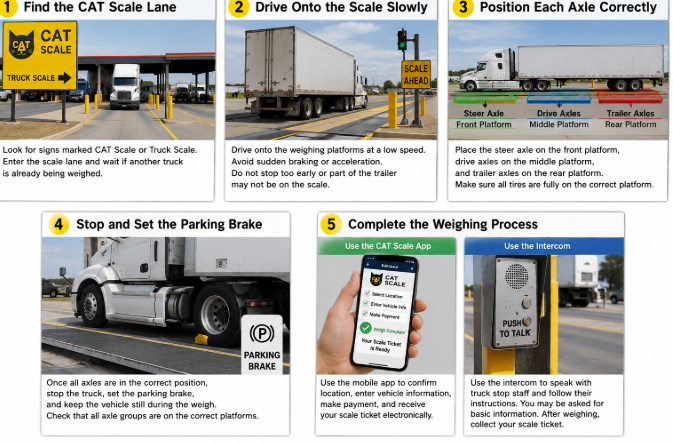
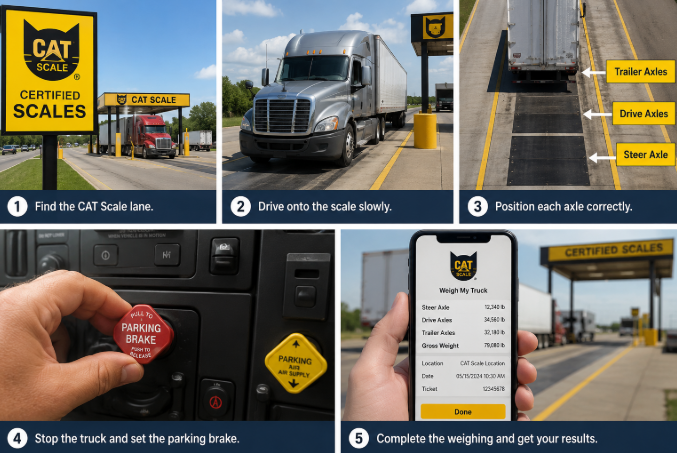
Step 1: Find the CAT Scale Lane
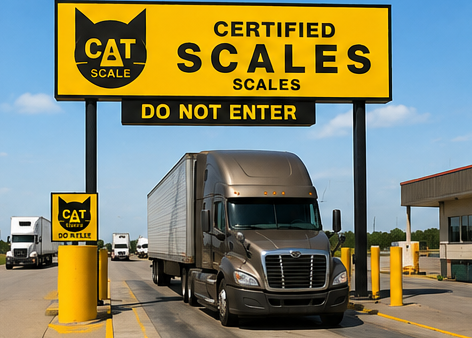
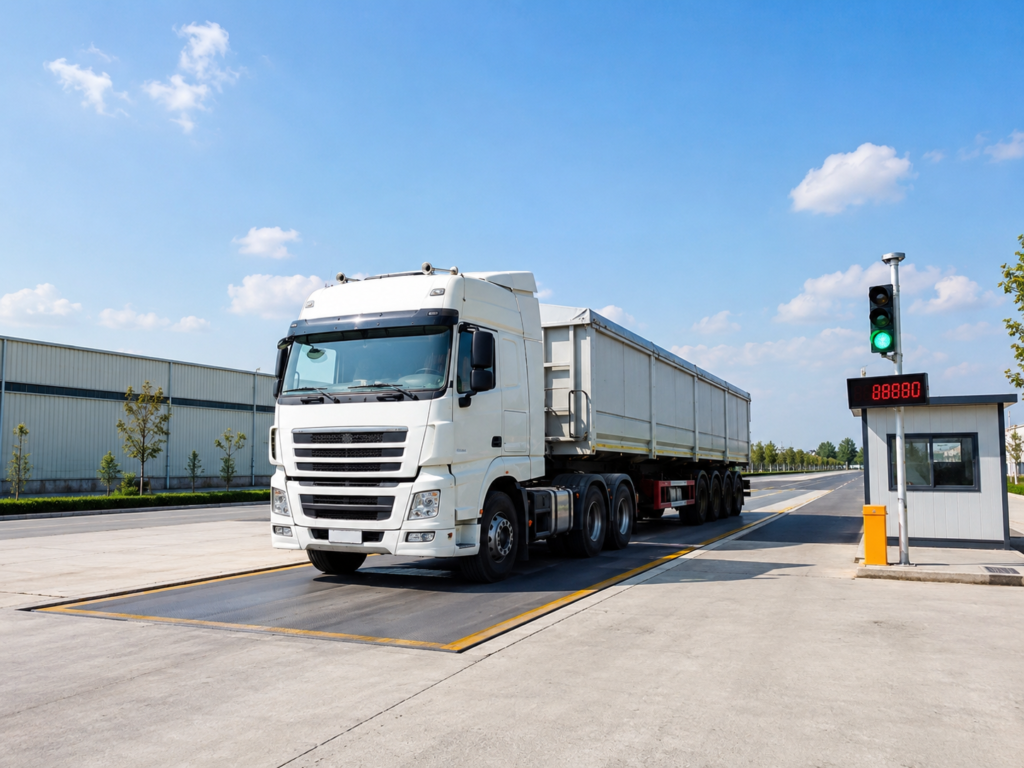
After entering the truck stop, look for signs marked CAT Scale or Truck Scale. The scale is usually located in a separate weighing lane that allows tractor-trailers to drive directly onto the weighing platforms. Follow the signs and slowly enter the scale lane. If another truck is already being weighed, wait until it has completely left the scale before moving forward.
Step 2: Drive Onto the Scale Slowly
Drive onto the weighing platform at a low speed and avoid sudden braking or acceleration. Your goal is to position each axle group accurately on the correct weighing platform. Do not stop too early, or the rear of the trailer or trailer axles may not be fully inside the weighing area.
Step 3: Position Each Axle Correctly
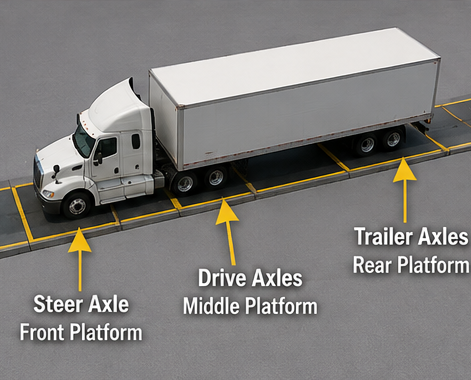
Correct axle positioning is one of the most important parts of using a truck scale. A typical CAT Scale consists of several separate weighing platforms.
The truck should generally be positioned as follows:
Steer Axle: Place it on the front weighing platform
Drive Axles: Place them on the middle weighing platform
Trailer Axles: Place them on the rear weighing platform
Make sure that each set of tires is completely positioned on its corresponding platform. If an axle group is sitting between two platforms, the final reading may not accurately reflect the actual weight of each axle group.
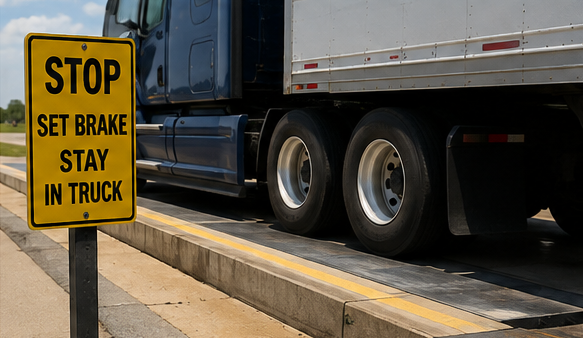
Step 4: Stop the Truck and Set the Parking Brake
Once all axle groups are positioned correctly, bring the truck to a complete stop. Set the parking brake and make sure the vehicle remains stationary throughout the weighing process, as movement may affect the stability of the weight reading. Before starting the weigh, quickly check that the steer axle, drive axles, and trailer axles are all positioned correctly on their respective platforms.
Step 5: Complete the Weighing Process
There are usually two common ways to complete a CAT Scale weigh.
Use the CAT Scale App
Many drivers use the CAT Scale mobile app to complete the entire weighing process without leaving the cab. Depending on the scale location and your account settings, you can confirm the current scale location, enter vehicle information, make payment, and receive an electronic scale ticket directly on your phone. For drivers who frequently use truck stop scales, this is a convenient option.
Use the Intercom
If you are not using the app, you can communicate with truck stop staff through the intercom located near the scale. Simply follow the staff’s instructions. You may be asked to provide basic information such as your truck number or company details. After the weigh is complete, follow the truck stop’s procedure to collect your scale ticket.
What Should You Do If Your Truck Is Overweight?
If the scale results show that one axle group is overweight, it is not a good idea to simply continue the trip. First, identify which axle group is carrying too much weight. Depending on the truck configuration and cargo position, you may need to:
Adjust the trailer tandems
Adjust the fifth wheel position
Redistribute the cargo
After making the necessary adjustments, return to the scale for a reweigh. The purpose of the reweigh is to confirm that the truck’s weight distribution has improved before you continue driving.
Common Mistakes When Using a CAT Scale
First-time CAT Scale users often make a few simple mistakes.
One common problem is that the steer axle or trailer axles are not fully positioned on the correct weighing platform and may be sitting between two platforms. Another common mistake is checking only the gross vehicle weight while ignoring individual axle weights. Some drivers also forget to reweigh the truck after adjusting the cargo or axle position. Taking a few extra seconds to check your truck’s position before starting the weigh can help avoid unnecessary problems.
Conclusion
Learning how to use a CAT Scale at a truck stop is a practical basic skill for commercial truck drivers.
The overall process is simple:
Drive onto the scale slowly → Position each axle correctly → Stop the truck → Complete the weigh → Check each axle weight → Reweigh if necessary.
If the weighing results show that the weight distribution is not correct, make the necessary adjustments and weigh the truck again to confirm the new axle weights.
After using a truck stop scale a few times, the process usually becomes a routine part of checking your truck before continuing the trip.

Need customized model matching your production line, technical drawings and accurate quotation?
Submit your inquiry now, our engineering sales team will send full solution within 24 working hours.