

When a belt scale starts reading incorrectly, recalibration is often the first reaction.
That is not always the best first step.
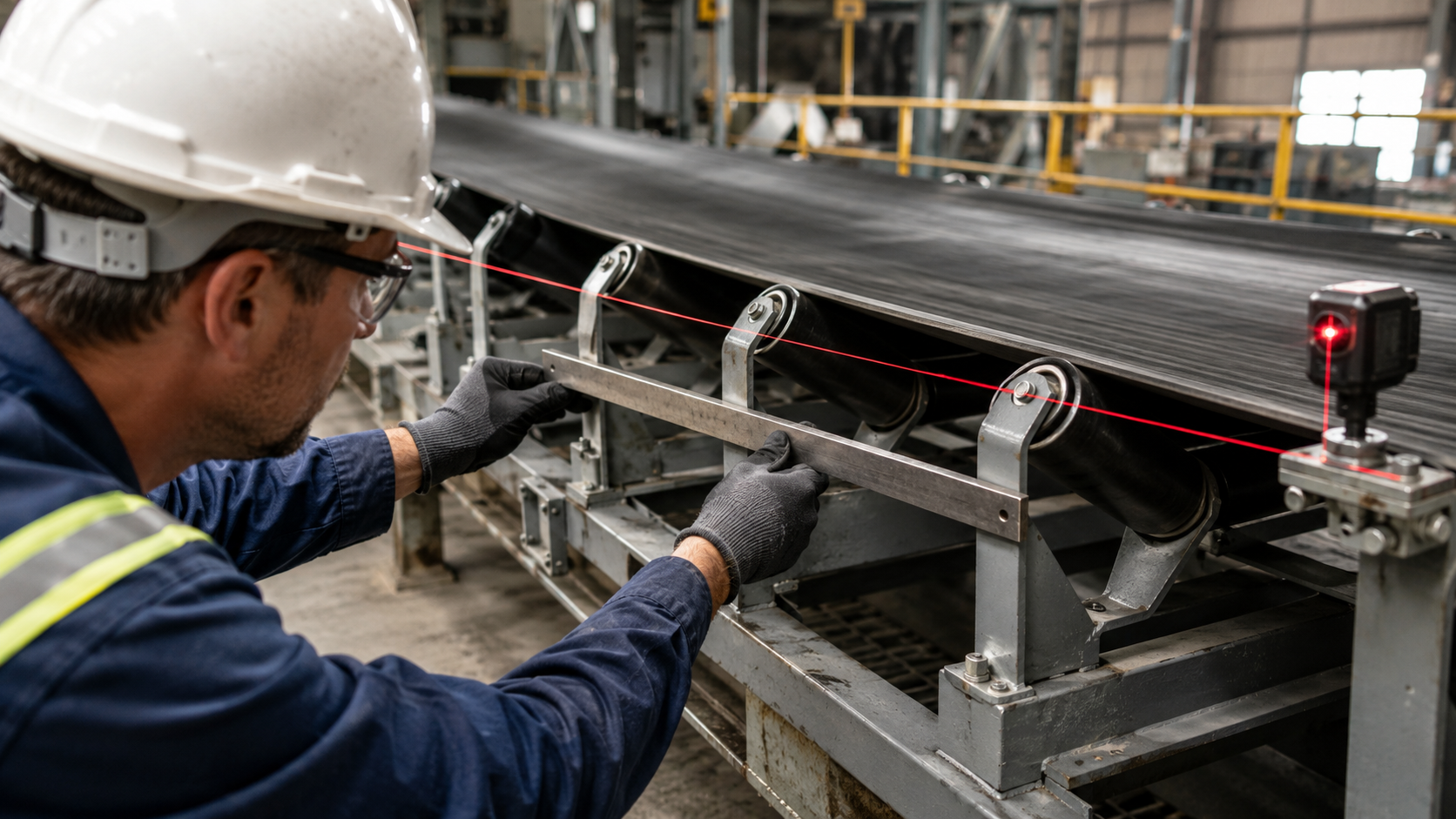
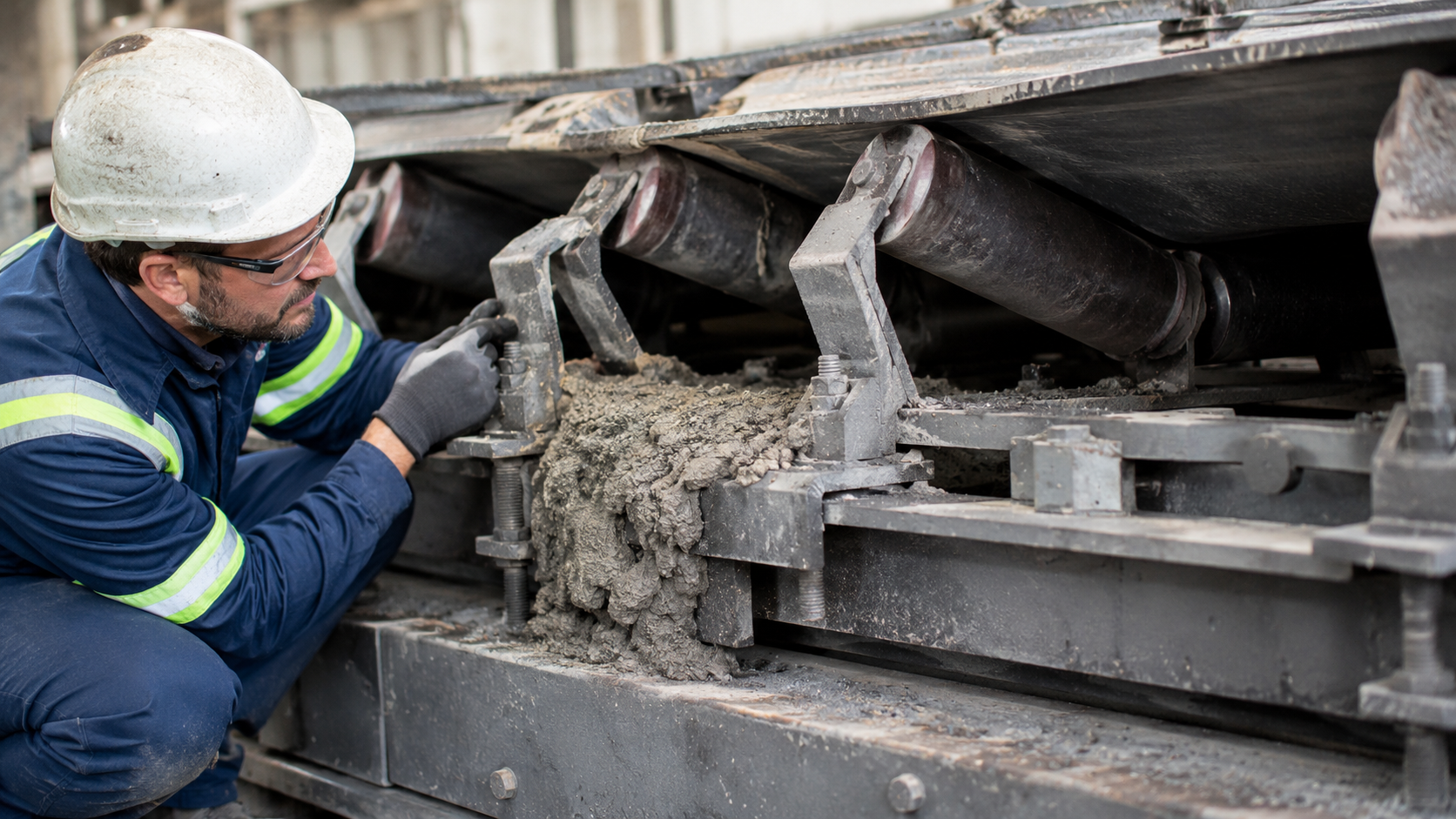
A belt scale can read high, low, unstable, or inconsistent because of calibration, but also because of idler alignment, belt tracking, speed measurement, buildup, wiring, or mechanical interference.
The fastest way to troubleshoot is usually to ask:
What pattern does the error follow?
Does it stay at roughly the same percentage?
Does it get worse at low flow?
Does it change with belt speed?
Does it repeat once per belt revolution?
Did it begin after idler work, belt replacement, or another conveyor change?
Understanding that pattern usually tells you where to look first.
For the basic measurement chain behind these faults, see how a conveyor belt scale works.
1. Stable Error or Unstable Error?
Consider three material tests:
+1.1%
+1.0%
+1.2%
The scale is consistently high.
Now compare:
−0.4%
+0.8%
−0.2%
The average may look better, but the measurement is unstable.
These are different problems.
A stable bias points more toward:
- span
- speed bias
- fixed mechanical geometry
A scattered result points more toward:
- zero instability
- belt tracking
- vibration
- changing material loading
- intermittent electrical contact
A useful rule is:
Repeatability first. Correction second.
For more detail on how these error patterns affect overall performance, see conveyor belt scale accuracy.
2. If the Scale Reads High or Low
A high reading does not automatically mean the span factor is too high.
Possible causes include:
- a weigh idler sitting too high
- a speed signal reading high
- buildup
- extra mechanical force entering the weigh frame
- incorrect span
A low reading may come from:
- force shunting
- weigh-frame contact
- low speed signal
- poor belt contact
- low span
Force shunting is especially important.
If part of the material load travels through another structure instead of through the load cells, the sensors may simply not receive the full load.
That is why the troubleshooting order should usually be:
Mechanical condition → Speed measurement → Calibration
not:
Calibration first.
For mechanical load-path problems, see load cell weighing errors.
3. Zero Drift: Look at the Pattern
“Zero drift” is not one fault.
The pattern matters.
Check:
- belt splice
- local belt thickness
- damaged belt
- recurring mechanical contact
If the same zero change occurs at the same belt position every revolution, the cause is likely related to the belt or something repeating with belt position.

Check:
- buildup
- belt tracking
- tension change
- mechanical interference
Check:
- load-cell cables
- junction box
- loose terminals
- grounding
- vibration
- electrical noise

The useful question is not:
“Is the zero drifting?”
It is:
“How is the zero drifting?”
This is also why a running-zero test is useful for troubleshooting, not just calibration.
4. Low-Flow Error Can Reveal a Zero Problem
Suppose material-test error looks like this:
| Flow Condition | Error |
| Low flow | +2.2% |
| Medium flow | +0.9% |
| High flow | +0.4% |
That does not look like a simple proportional span error.
It suggests that a relatively fixed disturbance becomes more important as belt loading falls.
Possible causes include:
- zero offset
- belt tare variation
- low useful material signal
- unstable mechanical background
Now compare:
| Flow Condition | Error |
| Low flow | +1.0% |
| Medium flow | +1.1% |
| High flow | +1.0% |
That looks more like a proportional bias.
This is why testing at only one flow rate can hide useful information.
5. If Error Changes With Belt Speed, Check Speed First
The basic relationship is:
Flow = Belt Load × Belt Speed
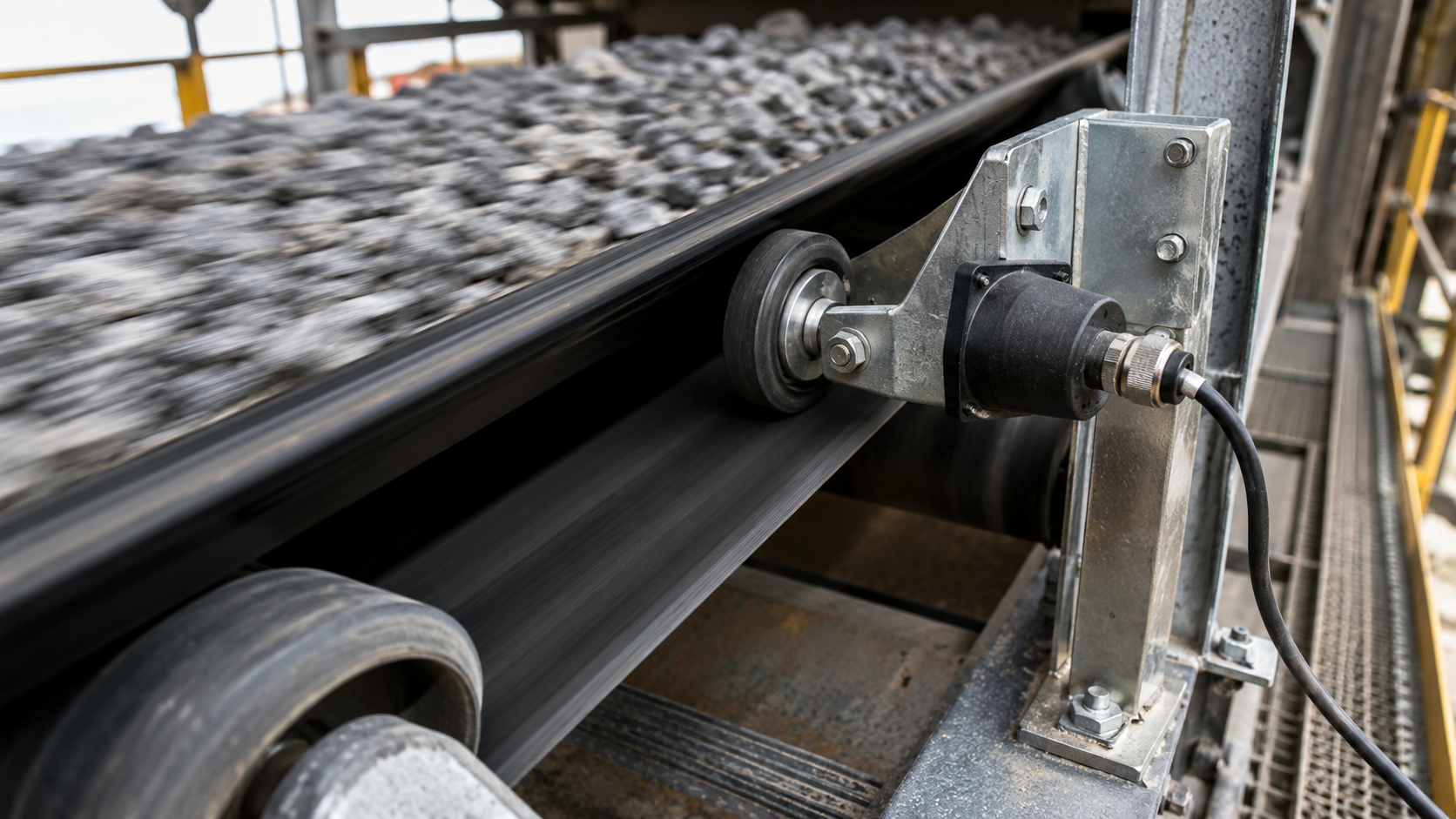
If the speed signal is 1% high, calculated flow will also be about 1% high when load measurement is correct.
Possible speed-related problems include:
- measuring-wheel slip
- poor belt contact
- loose encoder coupling
- pulse loss
- measuring drive rotation instead of actual belt travel
If material-test error changes systematically with belt speed, investigate the speed measurement before changing span.
Do not use span calibration to compensate for a speed error.
For the speed-measurement part of the system, see the belt scale speed sensor and conveyor belt scale components.
6. Why Calibration Can Pass but Material Testing Fails
A calibration test may confirm that:
- the load signal responds
- the controller processes the signal
- the configured calibration relationship is correct
But a real material test adds:
- belt movement
- real idler loading
- tracking
- vibration
- speed measurement
- material distribution
- the actual mechanical load path
So if calibration passes but material testing fails, repeating the same calibration may not help.
Ask:
What exists during real production that does not exist during the calibration test?
That often points toward the conveyor rather than the electronics.
For the correct sequence, see how to calibrate a conveyor belt scale.
7. Troubleshooting Table: What to Check First
| Error Pattern | Check First |
| Similar high % at all flow rates | Speed bias, span, idler geometry |
| Similar low % at all flow rates | Force shunt, speed bias, span |
| Much worse error at low flow | Zero stability, low belt loading |
| Error changes with belt speed | Speed measurement |
| Error repeats every belt revolution | Belt splice or belt condition |
| Zero drifts gradually | Buildup, tracking, tension |
| Reading jumps randomly | Wiring, junction box, vibration |
| Error appears after idler work | Idler alignment |
| Calibration passes but material test fails | Mechanical load path |
| Span factor changes frequently | Changing mechanical or speed condition |
This is not a fault-code table.
It is a way to choose the next inspection point without changing several things at once.
8. Maintenance Should Follow Changes in the Conveyor
A calendar-based inspection schedule is useful, but some events deserve an immediate check.
Recheck zero, alignment, or material-test performance after:
- belt replacement
- weigh-idler replacement
- tension adjustment
- belt-tracking adjustment
- speed-sensor replacement
- chute modification
- structural work around the scale
These events can change belt tare, geometry, speed measurement, or load transfer.
Also track the span factor over time.
For example:
1.000 → 0.998 → 1.004 → 0.987 → 1.015
A calibration factor that keeps moving is not just a maintenance record.
It is a symptom.
If the scale repeatedly needs correction, ask what physical condition is changing.
Installation-related causes are covered in conveyor belt scale installation.
9. When to Stop Recalibrating
Stop changing span and start troubleshooting if:
- running zero will not repeat
- material-test results scatter widely
- error changes strongly with belt speed
- the weigh frame is not mechanically free
- the problem began after mechanical work
- calibration factors need frequent correction
- electronic calibration passes while real material testing fails
The distinction is simple:
Calibration corrects a stable measurement relationship.
Troubleshooting finds out why that relationship is changing.
If the system is still changing mechanically or electrically, calibration is being applied to a moving target.
10. Troubleshooting the LCS-Series
The LCS-Series high-accuracy conveyor belt scale uses a floating-balance weighing structure with dual Keli load cells and dedicated speed measurement.
Troubleshooting should still follow the complete measurement chain:
Mechanical Load Path → Load Cells → Speed Signal → Integrator
The floating structure and dual-load-cell arrangement help reduce important mechanical error sources, but they cannot correct poor idler alignment, buildup, unstable tracking, incorrect speed measurement, or unstable zero.
11. The Main Point
When a belt scale becomes inaccurate, do not begin with:
“What calibration value should I change?”
Begin with:
“What pattern does the error follow, and what changed before it appeared?”
If the error is stable, look for proportional causes.
If it is unstable, look for changing mechanical or electrical conditions.
If it repeats once per belt revolution, look at the belt.
If it changes with speed, look at the speed measurement.
If calibration passes but material testing fails, look at the real conveyor and mechanical load path.
That approach usually finds the problem faster than repeatedly adjusting the number on the screen.

Need customized model matching your production line, technical drawings and accurate quotation?
Submit your inquiry now, our engineering sales team will send full solution within 24 working hours.